Render level sequencer with BP script editor
First of all you need to have the MovieRenderQueue enable in your plugins.
(right click on screenshots and open in new tab to full screen)
Detect asset selection like this
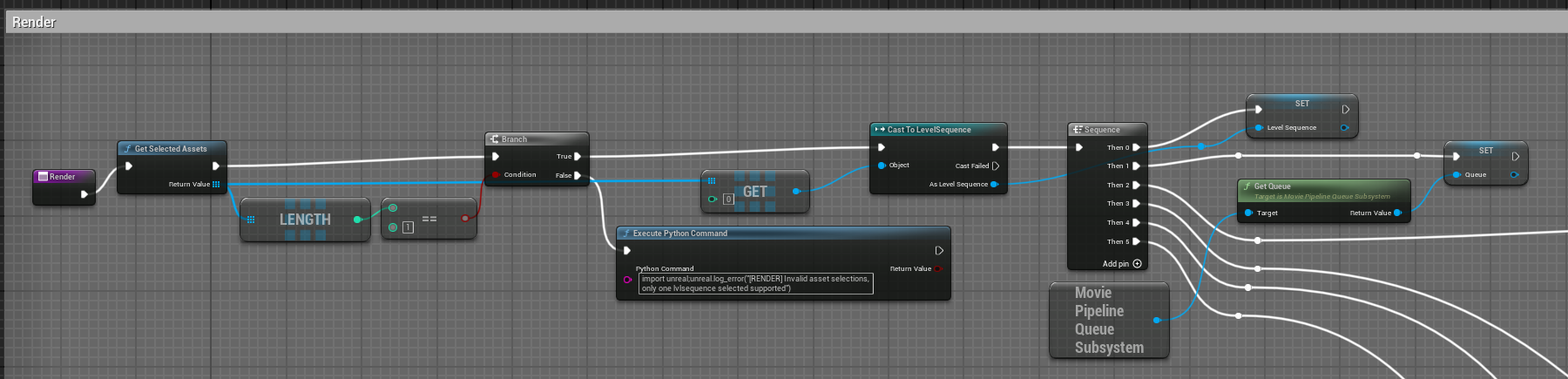
Each tracks of the Sequence node are used to setup our render step by step.
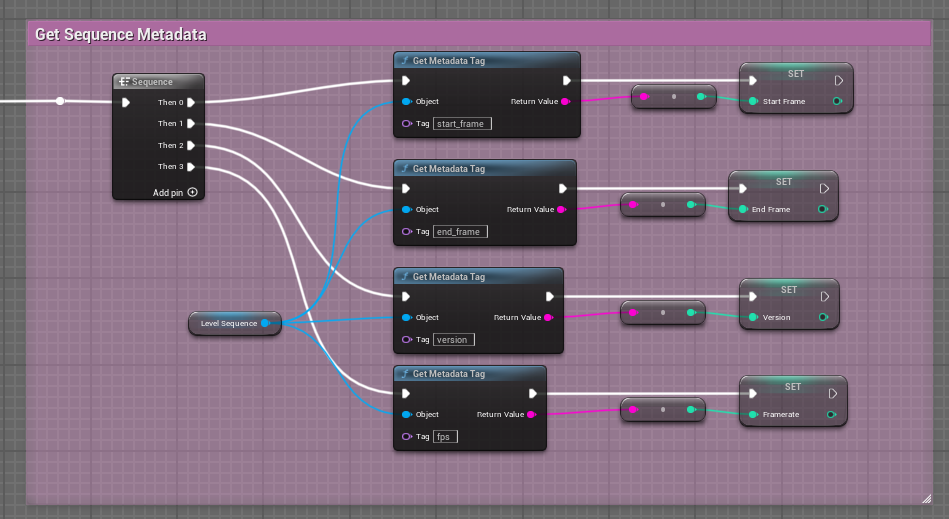
Get sequence metadata
In a piped context we set sequence informations in metadata in our ue_asset.
So we can read and set variable for each metadatas attribute.
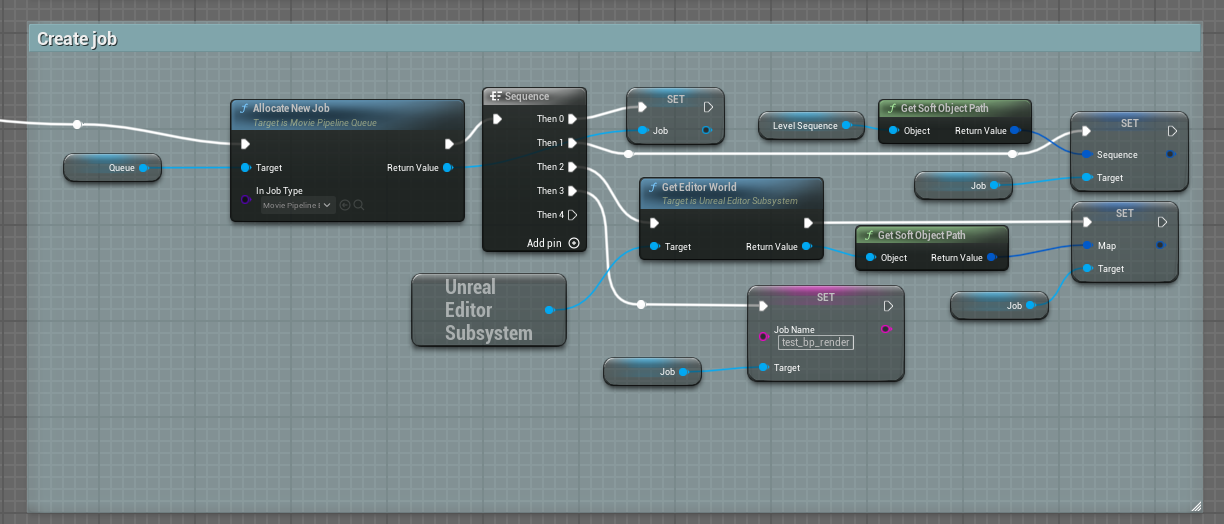
Create job
Now we can create our job
Configure Job
Each "find or add setting by class" are used to set specific part of setting for our render. 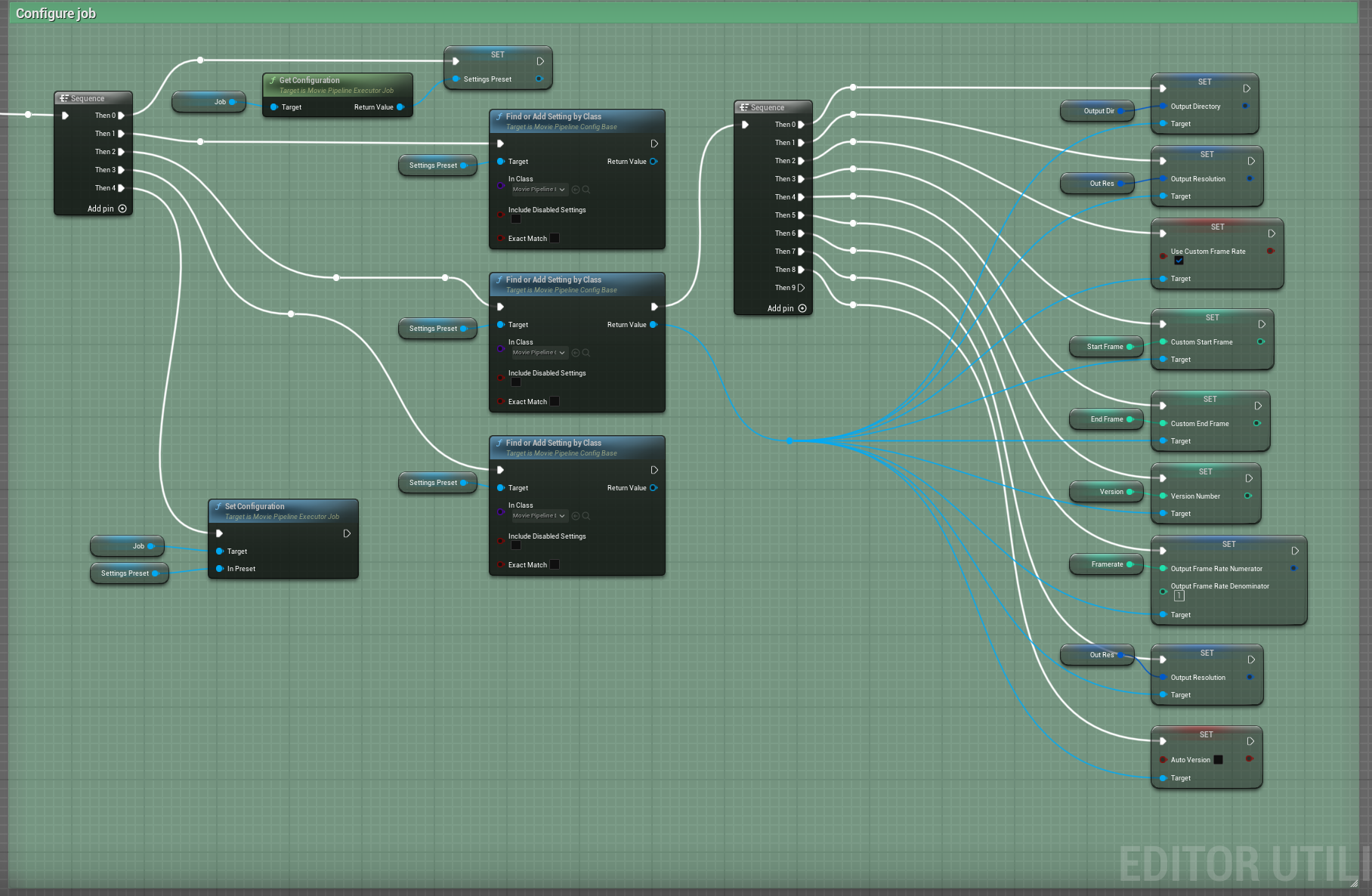
- The first one is used to export sequence as EXR
- The second one is set to
MoviePipelineOutputBaseto set basic settings of our export like output dir, framerate etc etc - Last one is set to
MoviePipelineDeferredPssBase, without a deferred settings we will not have any frame rendered.
Start render
Now it's time to start our renderer.
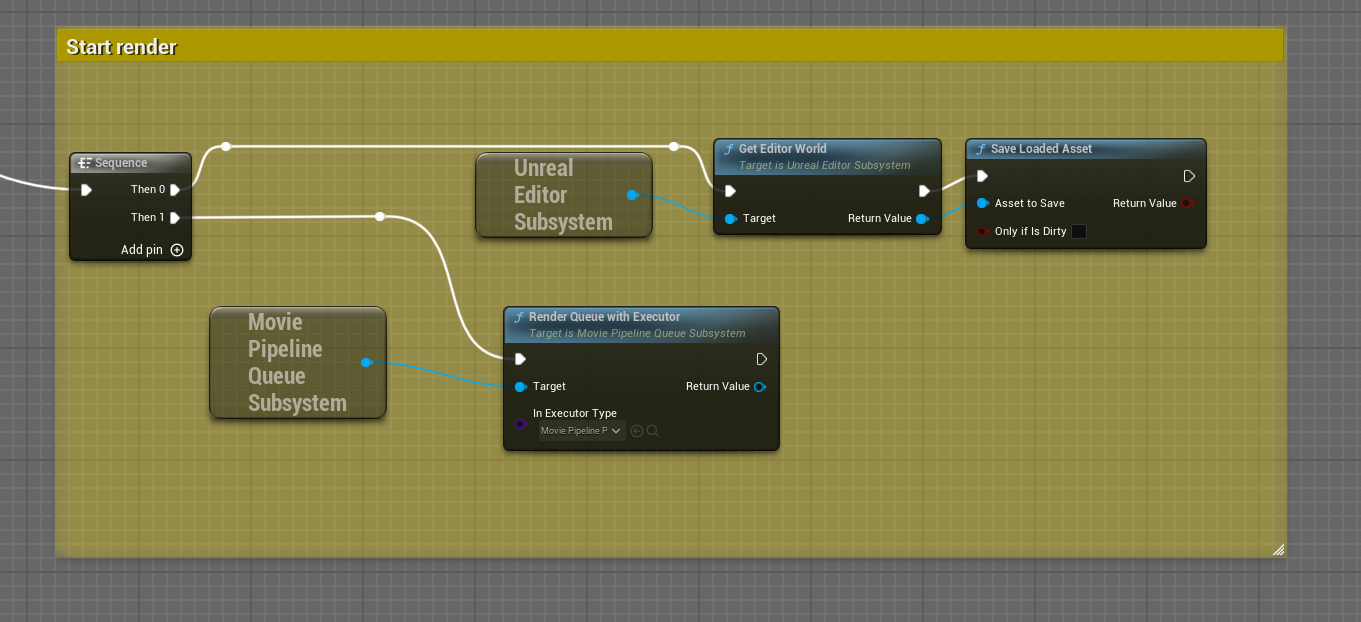
Be carefull to set inExecutorType properly because this can make unreal crash in my case i set it to MoviePipelinePIEEexecutor.
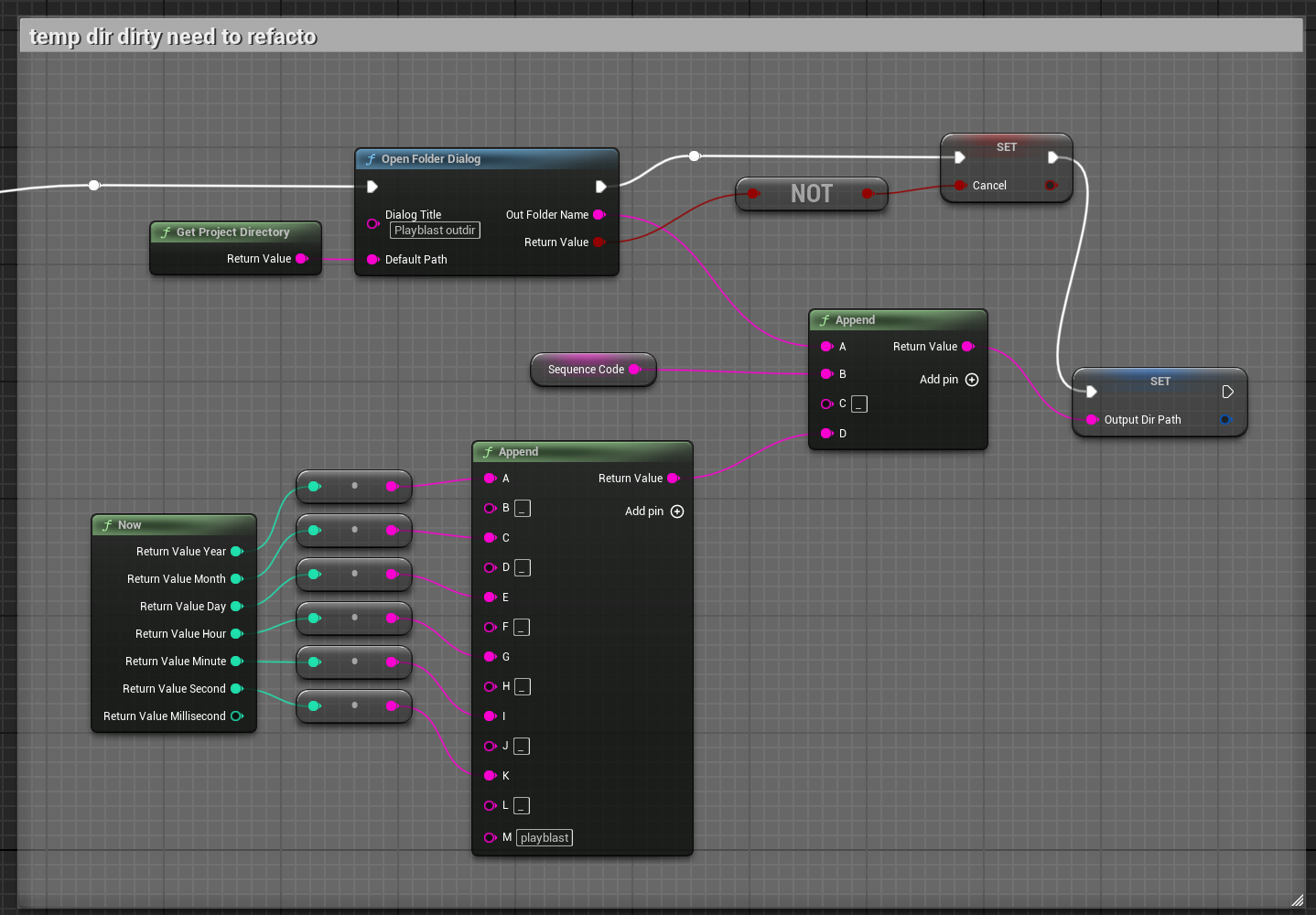
Bonus tempdir
To ask the user for an output dir you can do like this to quickly generate a temp dir.